Low-Latency Multiplayer on AWS: From On-Premises Dedicated Servers to Cloud-Native Real-Time Infrastructure
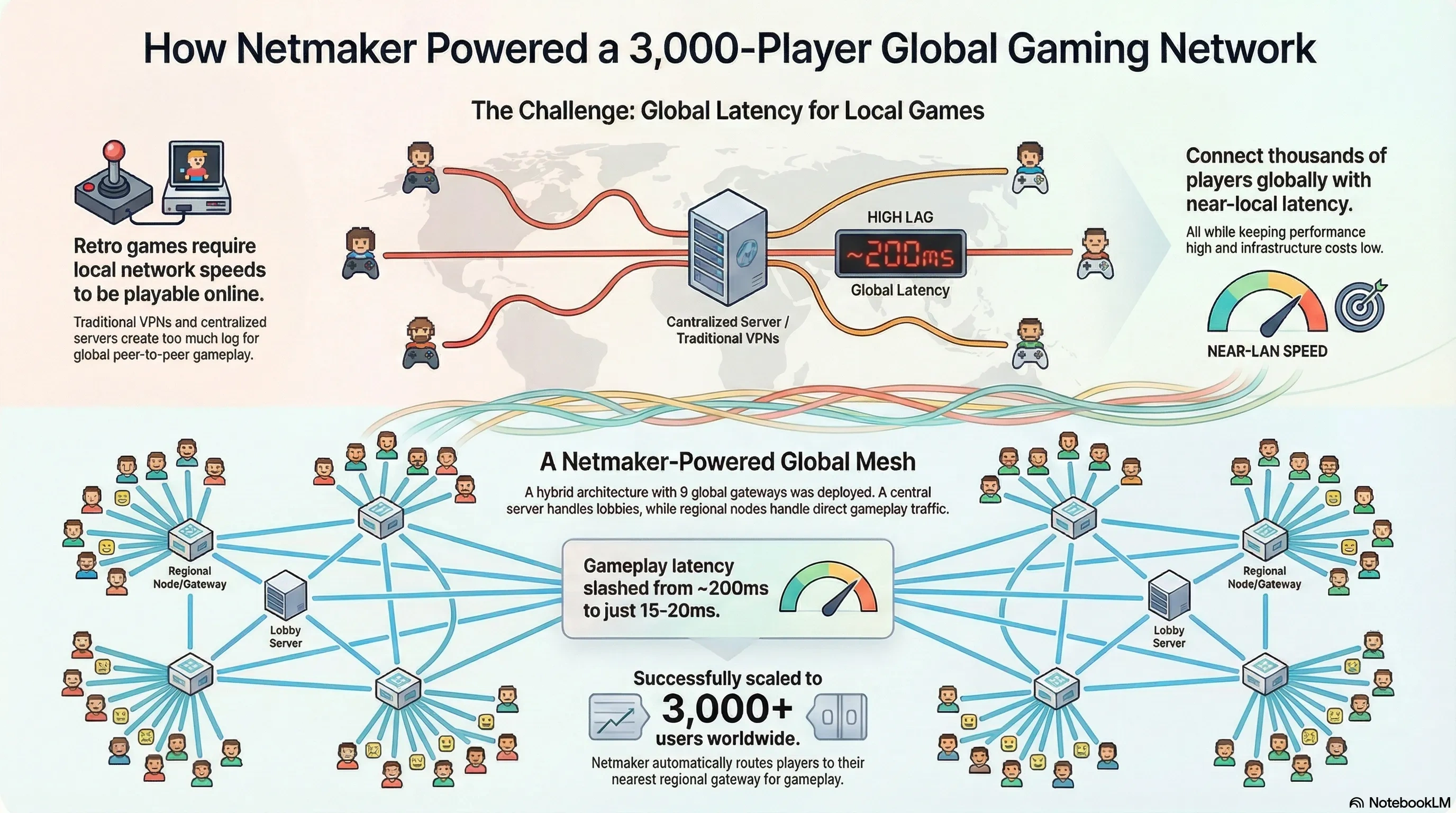
The Latency Challenge in Multiplayer Gaming
In competitive multiplayer games, players notice latency above 50ms. Above 100ms, the experience degrades significantly. Above 150ms, the game becomes unplayable for competitive titles. On-premises dedicated servers solve this by being physically close to player clusters — but this approach does not scale globally.
When migrating to AWS, the goal is to match or improve the latency characteristics of on-premises servers while gaining the ability to serve players in any region worldwide.
AWS Global Infrastructure for Low Latency
AWS operates 33 regions and 105 Availability Zones worldwide. For gaming, the most relevant infrastructure components are:
- AWS Global Accelerator — Routes player traffic through the AWS backbone network (instead of the public internet) to the nearest game server. Typically reduces latency by 20-40%.
- AWS Local Zones — Bring compute closer to major metropolitan areas. Critical for competitive gaming where single-digit millisecond improvements matter.
- AWS Outposts — For hybrid scenarios where some workloads must remain on-premises during transition.
Game Server Placement Strategy
On-premises, you place servers in a fixed number of data centers. On AWS, dynamic server placement becomes possible:
- Latency-based routing — Use Route 53 latency routing to direct players to the closest region.
- Player density mapping — Analyze your player base geographically and deploy server fleets where density is highest.
- Dynamic fleet scaling — Use Amazon GameLift or custom auto-scaling to spin up servers in new regions during peak hours and scale down during off-peak.
- Spot fleet integration — Use Spot Instances for non-ranked game modes to reduce costs by up to 70%.
Network Optimization Techniques
Beyond infrastructure placement, several techniques reduce latency at the application level:
- UDP over TCP — Game traffic should use UDP wherever possible. AWS Network Load Balancers support UDP traffic natively.
- Client-side prediction — Implement prediction algorithms that compensate for network latency at the game engine level.
- Regional state synchronization — Use DynamoDB Global Tables to keep player state synchronized across regions with single-digit millisecond replication.
- Connection pooling — Maintain persistent connections between services to eliminate handshake overhead.
Monitoring Latency in Production
What you cannot measure, you cannot optimize. Essential monitoring includes:
- Amazon CloudWatch with custom metrics for player-perceived latency (not just server-side metrics).
- AWS X-Ray for tracing requests across microservices to identify bottlenecks.
- Real-time dashboards showing p50, p90, and p99 latency per region.
- Automated alerting when latency exceeds thresholds, triggering auto-scaling or traffic rerouting.
Case Study: Competitive FPS Migration
A competitive first-person shooter studio migrated from 4 on-premises data centers to AWS. Results:
- Player-perceived latency improved from 65ms average to 38ms average (42% reduction).
- Server coverage expanded from 4 regions to 12 regions.
- Infrastructure costs decreased by 35% despite serving 3x more players.
- Time to deploy in a new region dropped from 6 months to 2 hours.
Conclusion
Low-latency multiplayer on AWS is not just possible — it is superior to traditional on-premises approaches for any studio serving a global player base. The combination of Global Accelerator, strategic server placement, and network-level optimizations delivers a measurably better player experience while eliminating the capital expenditure and operational burden of physical infrastructure.